Stakeholder meetings are vital opportunities for you to connect with your stakeholders. By putting a little extra effort into planning and preparing for your meetings, you'll show your stakeholders that you take their time and perspectives seriously, building long-term, positive stakeholder relationships that lead to better project outcomes.
In this post, we will discuss 6 ways Jambo can help to improve stakeholder meetings:
6 ways Jambo can help you improve your stakeholder meetings
With your stakeholder information centralized in Jambo, you and your teams know exactly where to find it. Beyond centralized access, Jambo keeps your data organized, simplifying stakeholder management and helping you get quick stakeholder and project updates. These updates and insights allow you and your team to engage more clearly, consistently and effectively.
Below, we'll highlight six specific ways Jambo can help you improve your stakeholder meetings.
1. Helps you book the right kind of meeting
Not everyone enjoys communicating the same way, so you want to keep track of your stakeholders' preferred meeting formats. As you'll be managing several stakeholder relationships, you need to track your stakeholder preferences in a logical place where you can quickly look them up before booking a meeting, ensuring you're proposing the best type of meeting for that stakeholder.
Internal notes feature
By using Jambo's internal notes feature, you can add stakeholder preferences that include information like:
- Location preferences for meetings (e.g., do they like to meet near their work?)
- The form the meeting takes (e.g., do they prefer an in-person meeting or a virtual web meeting?)
- Accessibility considerations for meeting locations (e.g., do they require accessible parking or elevator access?)
By remembering your stakeholders' meeting preferences, you'll not only increase the likelihood that they'll be willing to meet with you, but also show them that you listen to them, which will help build trust in your organization.
2. Ensures your messaging is tailored for each stakeholder meeting
What you say to your stakeholders in meetings can significantly impact how they view your project and your organization, so you want to carefully select your messaging and tailor it to meet their needs.
Stakeholder profiles
With Jambo's stakeholder profiles, you can dive into a profile before your meeting to quickly learn what your stakeholder has communicated to you and your team in previous engagements. With this history, you can gain insights into what matters most to them. Using these insights, you can prepare your messaging in advance to address their concerns and perspectives in a meaningful way, while avoiding asking repeat questions that have already been covered in other meetings.
For example, in their stakeholder profile, you may notice they have raised an issue surrounding a particular location where your project is operating. To prepare for your meeting, you can use Jambo to quickly familiarize yourself with all engagements related to that issue and view all logged information associated with that stakeholder. Understanding all the information related to that stakeholder and the issue they raised helps you grasp the big picture, ensuring you're fully up to date and communicating about the information that matters to them.
3. Allows you to bring organized and understandable updates to the meeting
Being respectful of people's time is essential to running a successful stakeholder meeting, so you want to be prepared. To manage time effectively in a stakeholder meeting, you want to share project updates clearly and understandably (no one wants to slowly sift through data in endless spreadsheets or try to piece together scribbled notes).
Reports
With Jambo's reporting options, you can deliver organized, simplified reports that show stakeholders updates on the topics they need to hear about, without overwhelming them with irrelevant or redundant information. Our robust reporting options let you build reports on the most critical topics for your stakeholders.
Integrated Map
Using the location example from above, with Jambo, you can also log the area of concern in our integrated map viewer, then export a geospatial PDF of the map to your stakeholder meeting. Maps help create a visual understanding of your project in relation to the identified area and facilitate a more effective conversation around this topic.

4. Ensures you're updated on all issues and commitments connected to the stakeholder you're meeting with
Commitments
With Jambo, you can easily view commitments (or promises) associated with one or all your projects to build a full understanding of your current or past commitments with a stakeholder before you meet with them.
By clicking into a commitment record, you can see which team member made the commitment, the associated communication record with the stakeholder, and its change history.
Issues
Like our commitments records, Jambo has an issues profile for each stakeholder and organization that allows you to dive into your current and past issues (across one or all projects), so you're easily updated on who's associated with the issue and any updates surrounding it.
Colour-coded materiality matrix
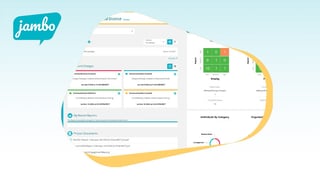
As issues can increase project risk, we've added a few additional features to help you protect your projects and your organization while meeting your stakeholders' expectations. One of these features is our colour-coded materiality matrix, which helps you organize your issues by impact and priority. With this feature, you and your team can prioritize the highest risk issues without losing sight of the rest.
Issues timeline
The second issue-related feature Jambo includes is our issues timeline, which helps users gain a deeper understanding of an issue's full history at a glance.
Being updated on any commitment or issues related to the stakeholder you're meeting with will help build trust and show you're listening. Even if the meeting isn't about commitments or issues, being updated on them will save you from being unprepared if they come up during the conversation and help you prepare any relevant updates, which your stakeholders will appreciate.
5. Allows you to input your stakeholder information during (or right after) your meeting
To ensure you're entering accurate updates in Jambo, it's useful to be able to add them on the go. Jambo is accessible anywhere with an internet connection, so you can log in to your account during (or right after) meetings to add your important notes right away. This immediacy helps ensure you don't miss anything, keeping your records accurate with useful information, so you're always fully prepared for your next meeting.
If your mobile device has a microphone, you can use voice-to-text features to make the input process even faster and easier!
6. Ensures you're prepared when meeting with stakeholders who were part of a different project
Stakeholders don't care whether you were involved in a previous project or engagement; they often expect you to be up to date on the full engagement history as you represent your organization during these meetings. To meet this expectation, you must be up to date on everything previously discussed, even if you weren't part of those engagements.
If you or your team communicated with a stakeholder on a different project, with Jambo's global view, you can view all input across your organization's projects, as long as you've been granted access. You can easily view the most recent conversation with that stakeholder and see what was discussed before your meeting, allowing you to pick up where things left off or reference any related concerns or perspectives the stakeholder previously shared, even if this is the first time you're engaging with them.
Next steps
To learn all the ways Jambo can simplify and organize your stakeholder management efforts and improve your stakeholder meetings, book a 15-minute discovery call with a Jambo expert!